Crazy Android Tricks

  • Home
  • How To
  • Top 10
  • Games
  • Android Phone

How to Fix My Keyboard on My Android Phone – Phone Keyboard Not Showing Up

Posted on 29 March 2018 by Evan Edwards 1 Comment

How to Fix My Keyboard on My Android Phone

Hello friends, Today I will tell you a method on how to fix my keyboard on my Android Phone. You can fix all the problems related to your Android Keyboard. Users can fix their Google or default keyboard. This method will work on every Android phone. You can fix all the problems related to your […]

Filed Under: Android Phone, How To Tagged With: android keyboard, android keyboard issues, android keyboard not working properly, Fix My Keyboard on My Android Phone, how to fix samsung keyboard has stopped, samsung keyboard has stopped s6, unfortunately keyboard has stopped, where is my keyboard

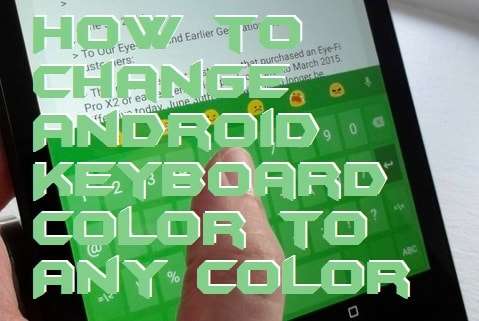
How to Change Android Keyboard Color to Any Color – Multicolor Keypad
Posted on 28 March 2018 by Evan Edwards Leave a Comment

How to Change Android Keyboard Color to Any Color

Hello friends, Today I will tell you a method on how to change Android Keyboard color to any color. You can change the color of your Google or any Keyboard color. Users can change Android Keyboard color on their Samsung or any Android Phone by using this simple method. You don’t need to get any app to change the Android Keyboard color. I will […]

Filed Under: Android Phone, How To Tagged With: Change Android Keyboard Color, change google keyboard color, change keyboard color android, change samsung keyboard color lollipop, how to change keyboard color on android phone, how to change keyboard color on galaxy s5, samsung keyboard dark theme

How to Test Android Battery Health Without any App
Posted on 27 March 2018 by Evan Edwards Leave a Comment

How to Test Android Battery Health Without any App

Hello friends, Today I will tell you a method on how to test Android Battery health without any app. You can use these code to check battery health on your Android Phone. Users do not need to install any apps to monitor Android Battery level. It is best and most accurate method to check battery health on […]

Filed Under: Android Codes, Android Phone, How To Tagged With: Android Battery Health, How to Test Android Battery, How to Test Android Battery Health, Test Android Battery Health

How to Fix Water Damaged Phone Without Rice

Posted on 22 March 2018 by Evan Edwards Leave a Comment

How to Fix Water Damaged Phone Without Rice

I have shared the best way on how to fix water damaged phone without rice. You can fix your Phone damaged screen or complete phone without rice. This method is working and you can fic wet phone without a pouch of rice. Smartphone users can fix any kind of water damaged phone using this method. […]

Filed Under: Android Phone, How To Tagged With: dropped phone in water no rice, phone water damage, Water Damaged Phone Without Rice, wet phone no rice

TOP 7 Best WAY to Organize Apps on Android – Android Organizer Apps
Posted on 21 March 2018 by Evan Edwards Leave a Comment

TOP 7 Best WAY to Organize Apps on Android - Android Organizer Apps

The best way to organize apps on Android. You can use these following methods to organize apps on Android. These are the best way to organize apps on your Smartphone. I will share all about color code, Home Screen, smart bar and much more. All these methods will make easy for you to organize apps […]

Filed Under: Android Phone, Android Versions, Top 10 Tagged With: arrange apps alphabetically android lollipop, how to move apps on android home screen, how to organize apps on android tablet, Organize Apps on Android

Previous Page
Next Page

Search

Recommended for you

  • How to Fix Cellular Network Not Available on Your Android Phone – 9 Best Methods
  • How to Stop Google Play Services Battery Drain – Fix the Issue
  • Top 10 Best Android Keyboard Apps
  • Top 10 Best Android Games With Controller Support
  • How to Setup Android Cast Screen to TV Without Chromecast – Best Method

Follow on Facebook

Crazy Android Tricks © 2017-2019. All rights reserved. All logos and trademarks belongs to their respective owners. Android is a trademark of Google Inc.

  • About Us
  • Disclaimer
  • Cookie Policy
  • Privacy Policy
  • Contact